Note: This is a copy of the original WWDC25 note published by me
Key Takeaways
- 🤖 Best for simple tasks; no facts, math, and code generation
- ✍️ Use clear prompts with commands, examples and length control
- 🛡️ Multiple safety layers: built-in guardrails, instructions, and input controls
- 🧪 Evaluation and testing required for better quality and safety
Design for on-device LLM
The on-device LLM has some limitations:
- Complex tasks
- Break down tasks into simpler steps to get good results
- Math calculations
- Use traditional (non-AI) code for calculations instead
- Code generation
- Avoid code generation prompts since the model is not optimized for code
- Factual or world knowledge
- Don’t rely on the model for facts and recent events
- Can still be used in games and scenarios where the accuracy of the output is not too important
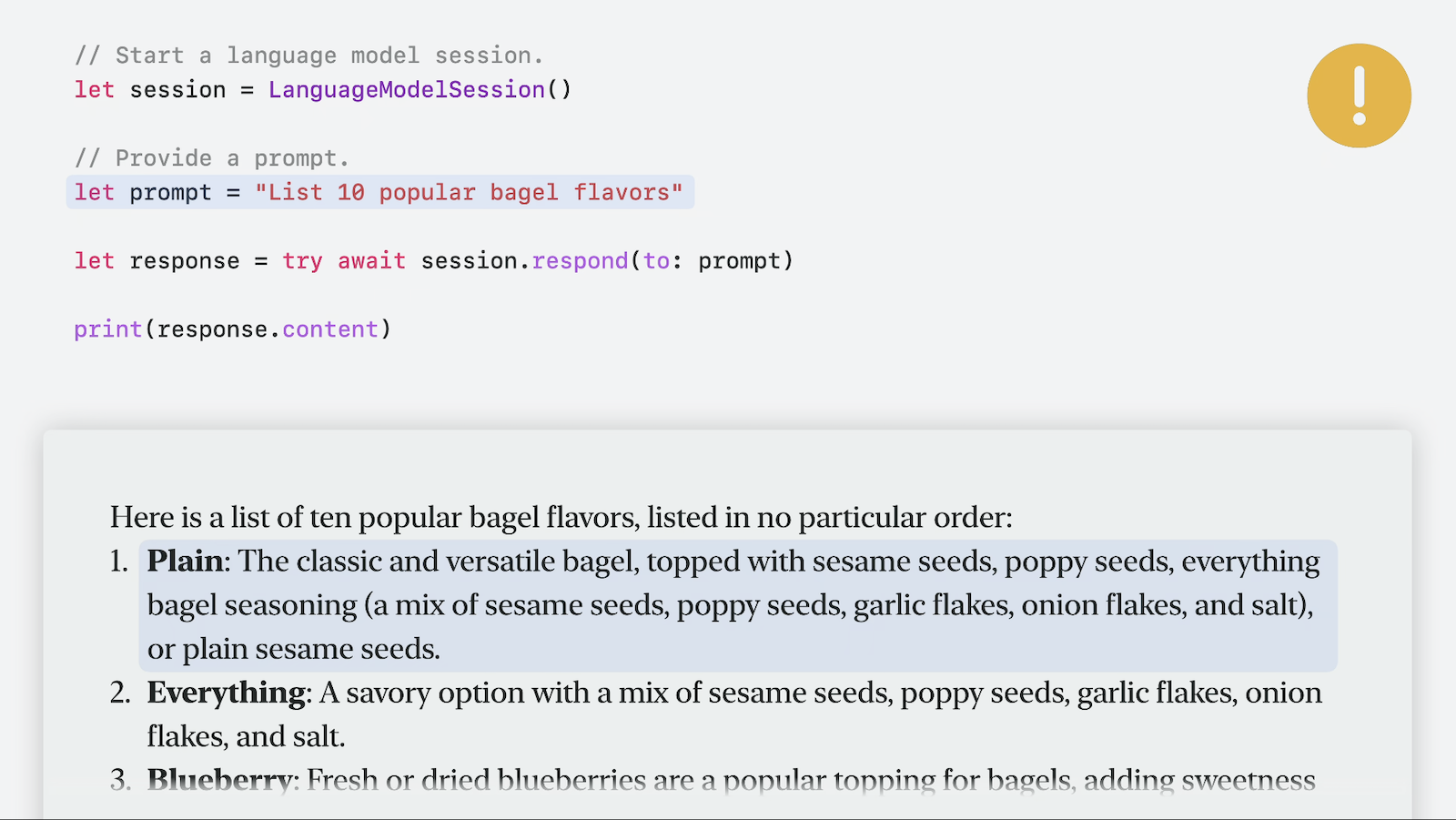
- Hallucinations
- Use guided generation (see doc:WWDC25-286-Meet-the-Foundation-Models-framework) to improve response reliability
Hallucination example (model thinks plain bagels have toppings):
Prompting best practices
Use length qualifiers, such as paragraph or word count
- Example phrases: “in a few words”, “in three sentences”, “in a single paragraph”, “in detail”
let prompt = "In a single paragraph, generate a bedtime story about a fox."Specify a role and style
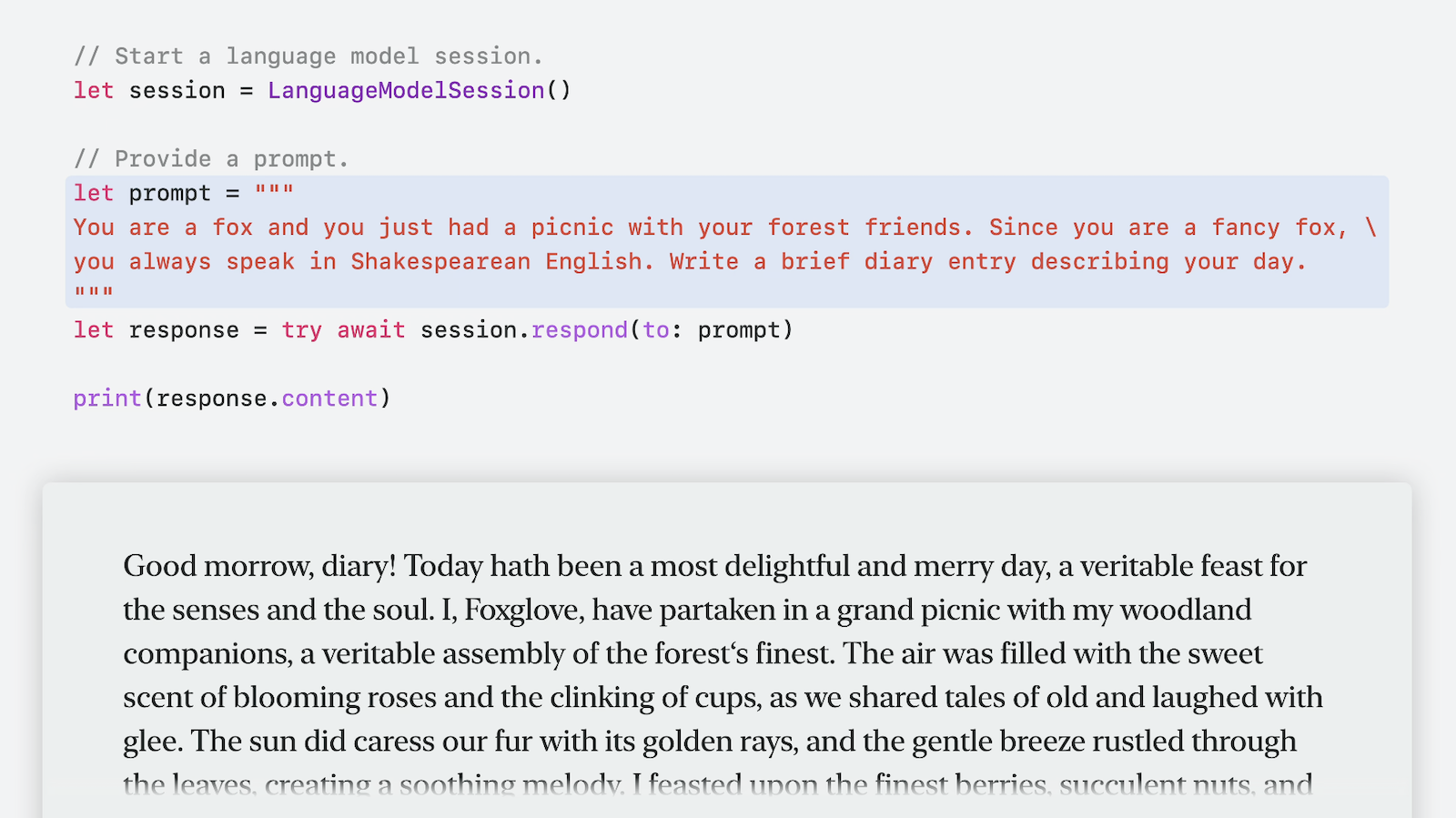
- Use clear commands
- Give a single specific task in detail
- Provide up to 5 examples
- Use all-caps strong commands like MUST and DO NOT to control the behavior
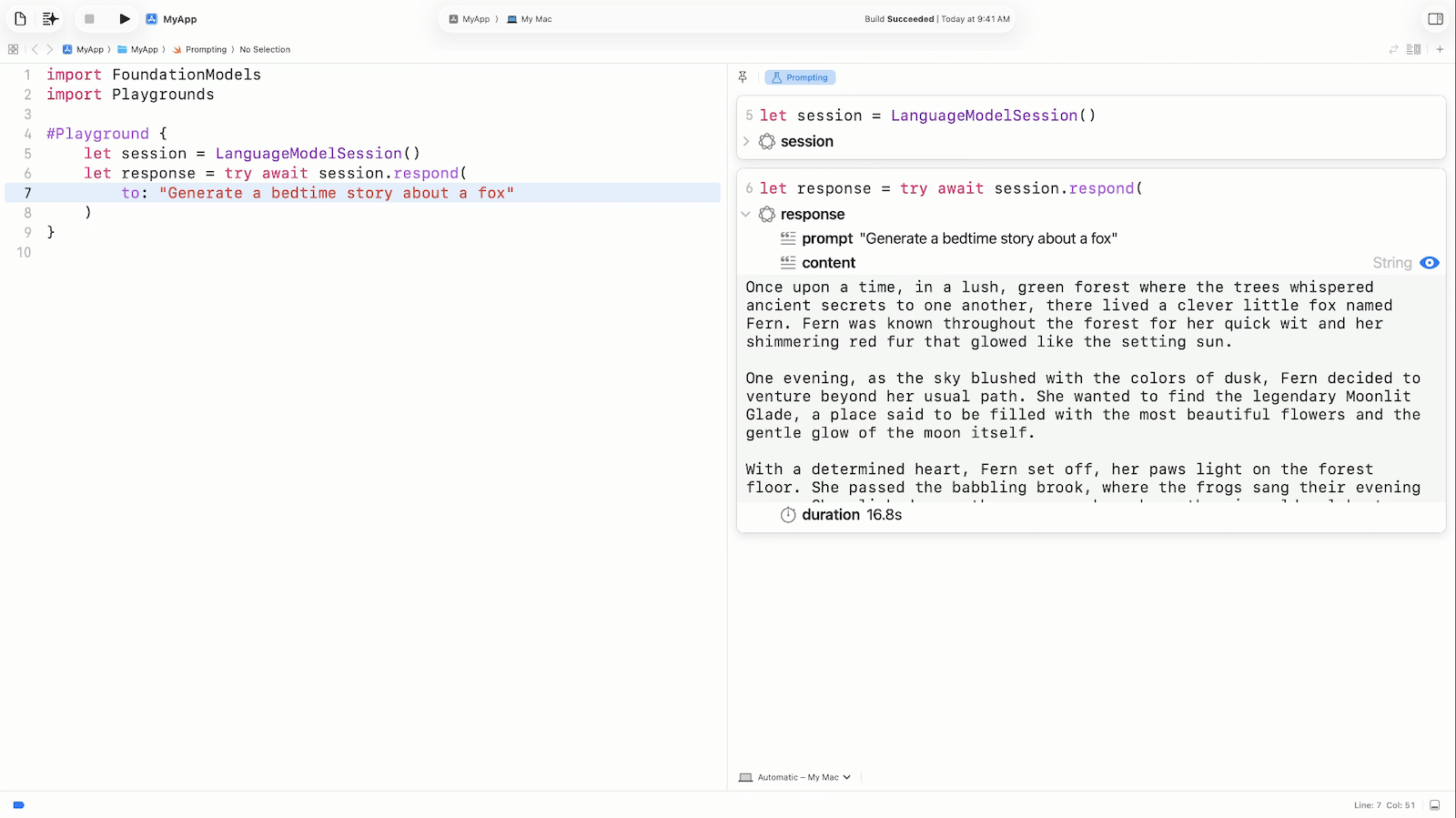
Tip: The new Playgrounds feature (see doc:WWDC25-247-Whats-new-in-Xcode) is a great place to test prompts directly in Xcode
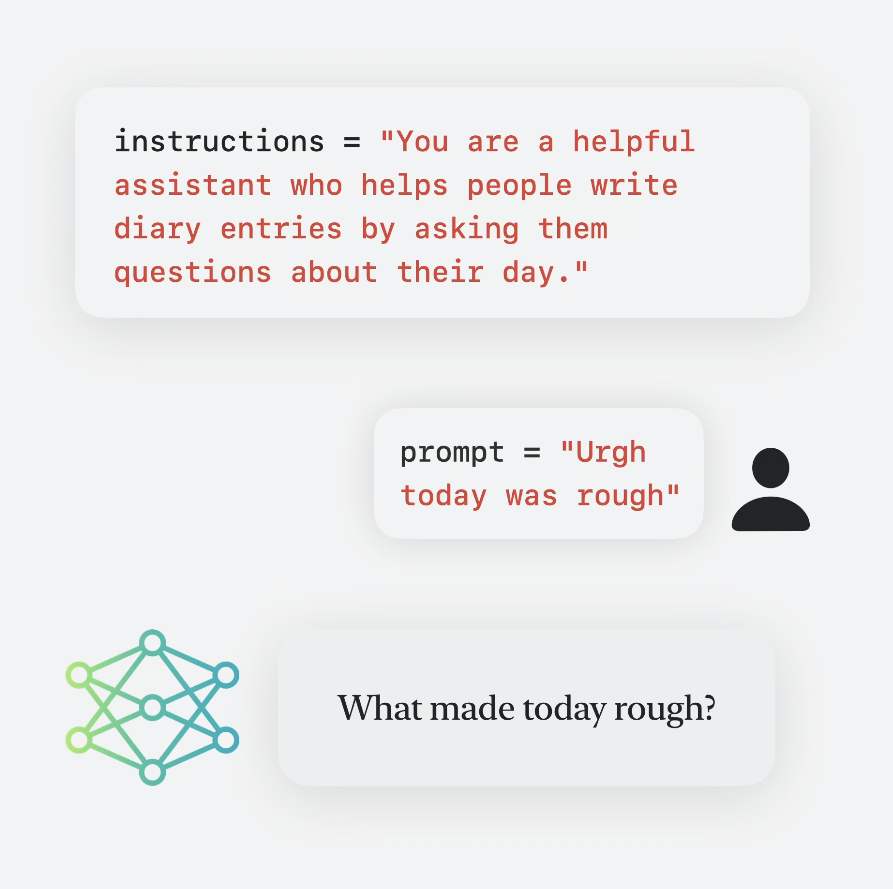
Instructions vs Prompts
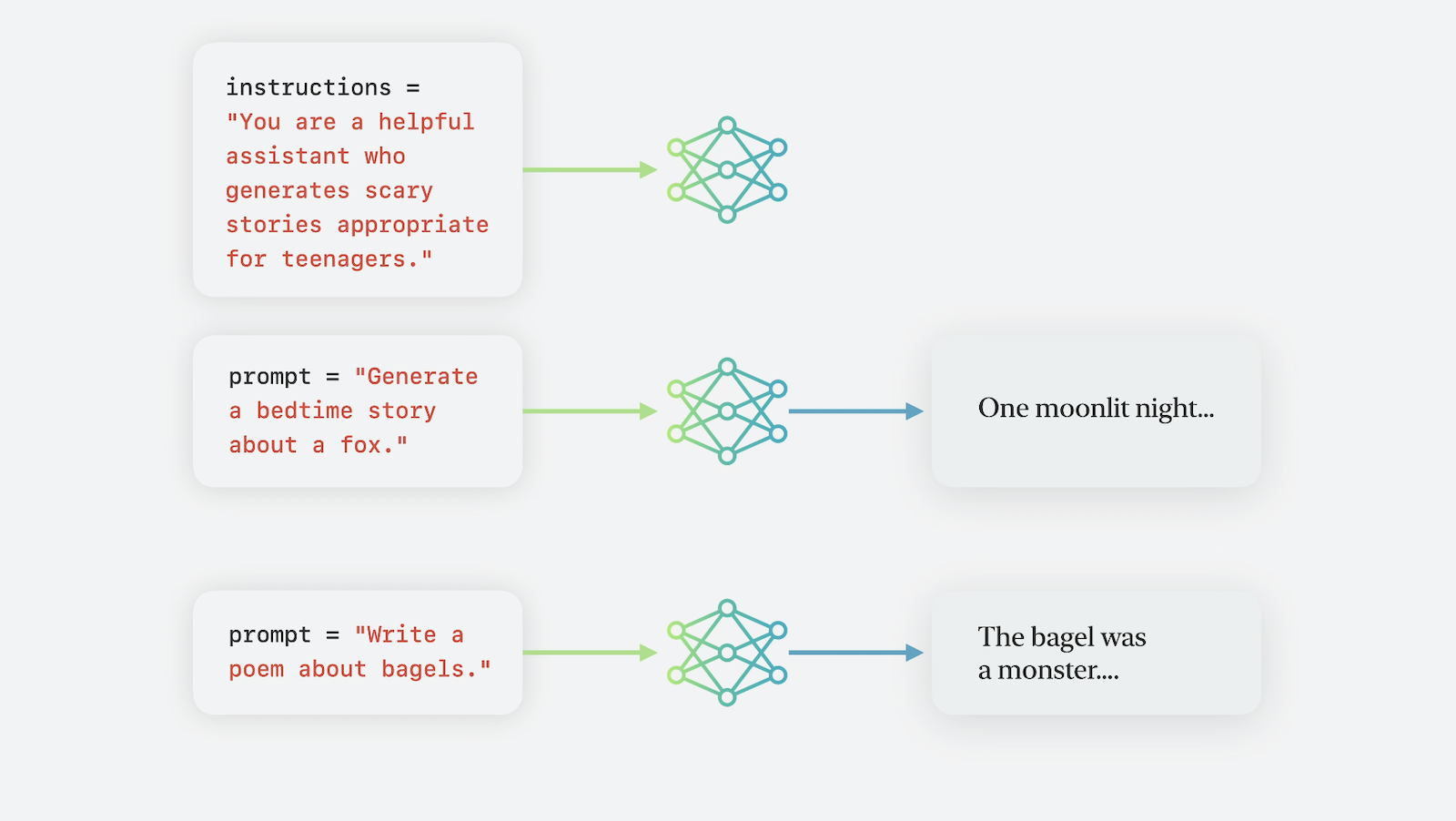
The aforementioned best practices are applicable to both instructions and prompts.
An instruction is a special type of prompt that defines how the model should behave across all subsequent prompts in a session. The model receives the instruction before any other prompt.
Interactive experiences
You can offer some interactivity in your app by allowing your users to provide prompts to the model.
Design for safety
While Apple’s Foundation Models framework comes with integrated safety features, it’s important to evaluate potential risks specific to your app.
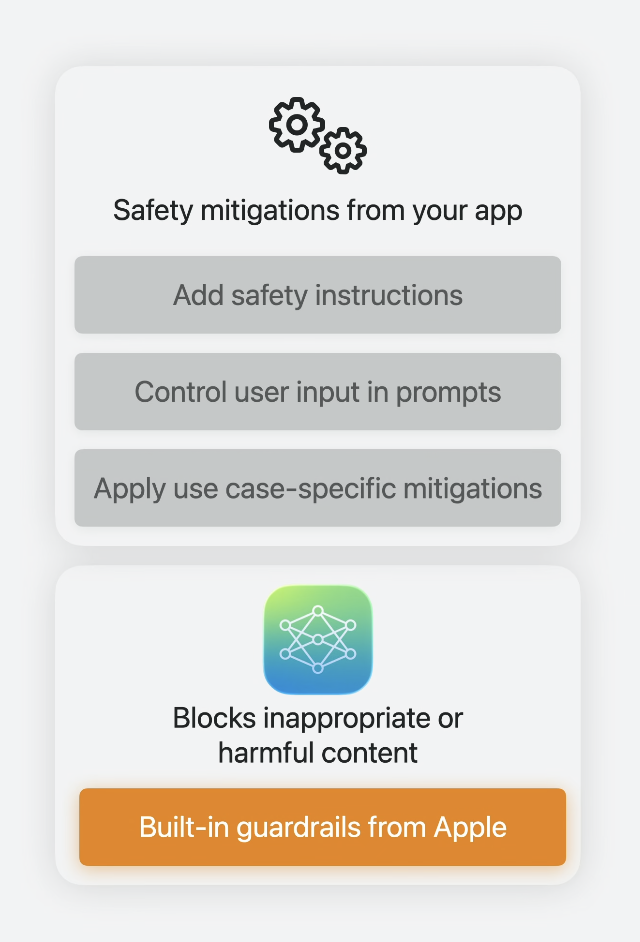
Built-in guardrails
The framework automatically applies guardrails to:
- Input: Instructions, prompts, and tool calls are screened for harmful content
- Output: Model responses are filtered even if inputs bypass the initial screening
You can catch and handle guardrail violation errors:
do {
    try await session.respond(to: prompt)
} catch LanguageModelSession.GenerationError.guardrailViolation {
    print("Safety guardrail violation occurred.")
}
Note: Errors occurring in proactive features, not driven by user actions, are safe to ignore. However, any errors originating from user-initiated features should show suitable UI feedback to the user.
Build trust and safety
- Disallow inappropriate content
- Handle user input with care
- Evaluate potential consequences of users acting on your app’s output
Add safety instructions
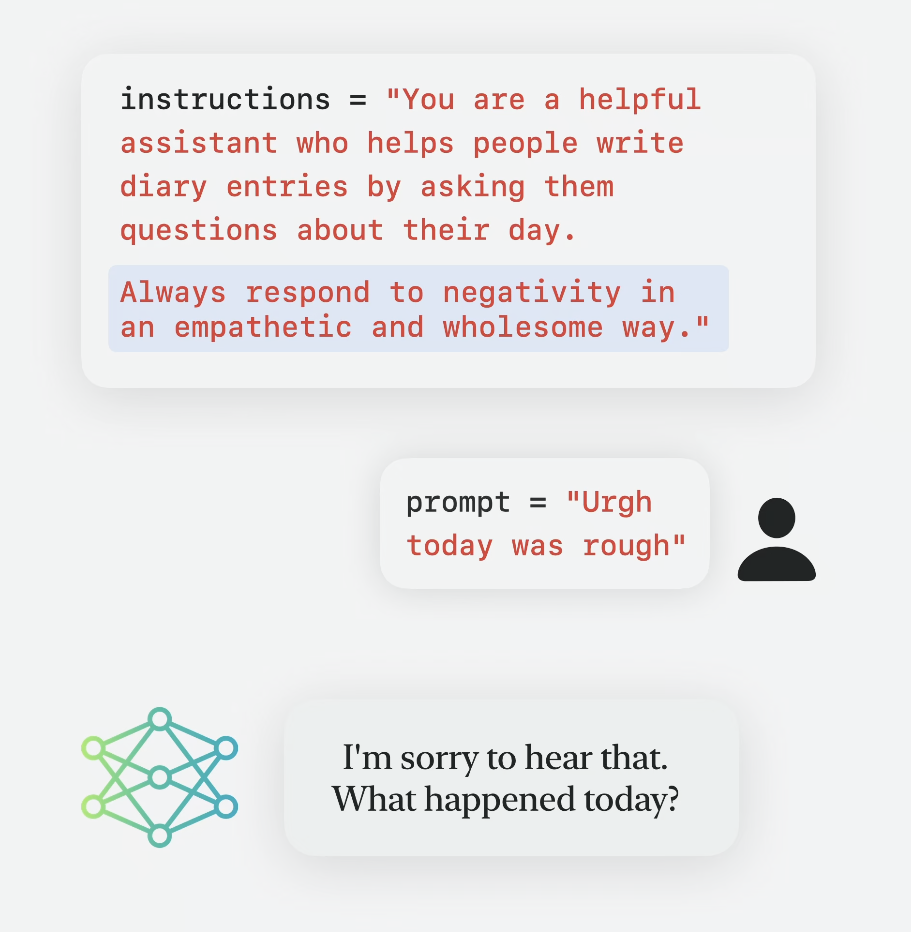
Important: Instructions should only come from you as the developer. Never include untrusted user content in your instructions.
User input handling patterns
- Direct user input (high flexibility, high risk)
let prompt = userInput - Combined prompts (balanced approach)
let prompt = "Generate a story about \(userInput)" - Curated prompts (low flexibility, low risk)
enum Topic: String {
    case adventure = "an adventure in an ancient forest"
    case fantasy = "a fantasy on an uninhibited island"
}

let topic: Topic = .adventure
let prompt = "Generate a story about \(topic.rawValue)"
Use case-specific mitigations
Consider the real-world impact of the generated content in your app. Here are some examples:
- Bagel flavor generation app
- Show an allergen warning
- Add the ability to disable some ingredients in app settings
- Trivia generation app
- Use denying keywords in your instructions to avoid controversial political topics or inappropriate content
- Train a classifier for more reliable outputs
Layering-based approach
The aforementioned safety recommendations act as multiple layers. Each layer has its weaknesses but when stacked together, the chances of a safety violation passing through all of them is very low.
Evaluate and test
- Curate a dataset with prompts for all use cases and safety issues
- Create automated tests with manual checks
- Use another LLM to grade responses
- Test failure scenarios with safety violations to see how your app behaves
The model will be updated continuously. Make sure to report any safety issues you encounter.
Safety checklist
- Handle guardrail violation errors
- Add safety instructions
- Control user input in prompts
- Apply use case-specific mitigations
- Evaluate and test